
Upload Your Photos
Add one clear photo of yourself, then one of your pet if you want your own animal in the clap. The pet slot is optional and stays open, so a single upload is a valid run.
Upload your photo, add your pet if you like, and get the cat clapping AI video in minutes.
No prompt writing, no filming and no timeline editing. The whole workflow stays on this page.
Add one clear photo of yourself, then one of your pet if you want your own animal in the clap. The pet slot is optional and stays open, so a single upload is a valid run.
Set the output ratio and the resolution. The credit cost is shown before you submit, and the edit itself is fixed.
Confirm the credits, submit the paid task, preview the finished clip, and download the file you want to keep.
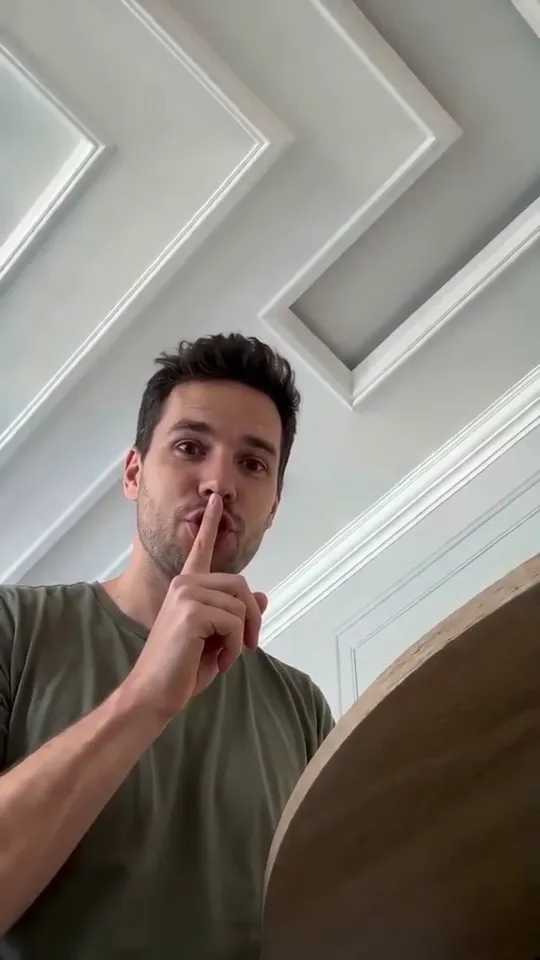
The clip ships as a finished edit. It cuts from the owner at the table to a treat close-up, back to a shush, then to the pet sitting up and clapping with human-like hands, and finally back to the owner. Your photos decide who appears in those shots; the kitchen corner, the daylight and the shot order stay fixed.
The pet keeps its breed, fur colour, markings, face shape and build from your photo, so the animal on the clap beat is your animal rather than a stock cat.
The clap sound is rendered with the clip, so the hands land on the beat when you post it, and the track stays free for whatever audio you add in the app you publish from.
The native vertical 9:16 frame is the shape this format is normally posted in and suits Reels, Shorts and TikTok. Wider ratios stay available when the clip needs to sit in a feed post or an embed.
The selected ratio controls the output canvas while Cat Clapping AI stays the motion reference.
One source template and one finished render with a different cast. Pick a clip to watch it, then scroll back up to render your own.
Every render follows the same fixed recipe, and there is nothing for you to type, paste or tune. That recipe stays on the server and is not published anywhere on the site. If you came looking for a copyable cat clapping recipe to reuse in another tool, the versions posted in tutorials are shortened; the working set is longer, because the extra clauses are what keep the owner, the pet and the kitchen background from bleeding into each other.
The product keeps one goal in view: turn your photos into the pet slow-clap clip without a trained animal, a second camera or an editing timeline.
The cat clapping AI video is a two-photo trick built on one idea: the owner shushes, and the pet answers with a slow clap that uses human hands. In the clip that made it a trend, the camera cuts between the owner at the table and the pet on the floor, and the applause arrives on a beat you can feel. The joke is the sarcastic timing, not the animal doing anything clever.
That is the part worth copying, and it is also the part a phone can not fake on its own: you need a pet that will sit up, hands that land on the clap, and a cut back to the owner at the right moment. A general video tool does not help much either, because it asks you to describe the whole scene and hope the beats line up. This workflow keeps the kitchen corner, the treat beat, the shush, the clap and the return to the owner fixed, and narrows your decisions to the uploads and the output frame.
The generator is also the simplest way to join the trend. Instead of coaxing an animal into position and hoping it holds still, you upload your photos and the shared edit places them in the shot. When you want more than one version, the larger packs cover several renders so you can try your own pet and a friend's side by side.
A front-facing portrait and a clean shot of your pet give the system reliable information. Keep one subject per photo, and avoid heavy filters, sunglasses or anything covering the face.
Nothing in the clip needs directing, so you never write a prompt or build a timeline. The only creative decisions are whose face and which animal take over the scene.
Keep the native 9:16 frame for Reels, Shorts and TikTok, or switch to a wider ratio when the clip needs to sit in a feed post or an embed. The ratio is fixed before the task begins.
The cost is shown before submission. A 720P Standard video uses 100 credits, and a task the provider fails to complete is refunded by the flow already built into the product.
The best results usually come from two focused photos, the correct output frame, and a resolution that matches the final channel.
Use a recent, clear, well-lit portrait with one person in frame. A portrait that is easy to read produces the most consistent owner across the live-action beats.
One clear photo of the whole animal is the second input. A front-on shot with the eyes open works best, because it shows the face, the markings and the build at once. Crop to a single animal before uploading.
480P is the cheapest way to test an idea. 720P Standard is the practical default for finished social content, and 1080P Pro costs more credits for higher-detail results.
The cat clapping AI video is a short vertical clip built on a very small joke: an owner offers their pet a treat, lifts a finger to shush the room, and the pet answers by sitting up and slow-clapping with human-like hands. Nothing else happens. There is no dialogue, no second location and no visible edit, which is exactly why the format travels so well.
That structure is the part worth keeping, and it is also the part a phone can not fake on its own. You need a pet that will sit up on cue, hands that land on the clap beat, and a cut that returns to the owner at the right moment. A general video tool does not help much either, because it asks you to describe the whole scene and hope the timing lands.
This cat clapping AI generator takes a narrower path. The clip is already built and locked: a bright kitchen corner, the treat beat, the shush, the clapping shot and the return to the owner. You upload your photos, and they drive who appears in it. The first photo becomes the owner; the second, when you add one, becomes the pet in the clapping shot. Without a pet photo the clip keeps its own cat, so a single upload still produces a finished cat clapping AI video.
Because the edit ships with the product, the timing is consistent between runs. The pet still sits up on the same beat, the hands still land on the same clap and the cut back to the owner still arrives at the same moment. What changes is the casting. The black cat clapping AI version is the most requested look, and it works from one clear photo of a black cat.
Background on the trend, a full tutorial, and the complete pricing breakdown.
Common questions about the cat clapping AI video generator.
Need help with credits, a failed generation, or a paid order? Contact support.
Upload your photos, then choose a subscription or a one-time credit pack.